   __                   __  ___     ____
  / /___  ___________  /  |/  /__  / __ \____
 / __/ / / / ___/ __ \/ /|_/ / _ \/ / / / __ \
/ /_/ /_/ / /  / / / / /  / /  __/ /_/ / / / /
\__/\__,_/_/  /_/ /_/_/  /_/\___/\____/_/ /_/
turnMeOn is a wake on LAN/wake on WAN packet generator and sender.
For a detailed explanation of everything concerning the wake on LAN thing or what is the magic packet read:
Only building from source is supported, but don’t despair, it’s really easy. See Build Instructions below.
The advice is to download the auto-extracting setup See Download below. If you feel adventurous and want to build it on Windows read the Build Instructions section.
Briefly:
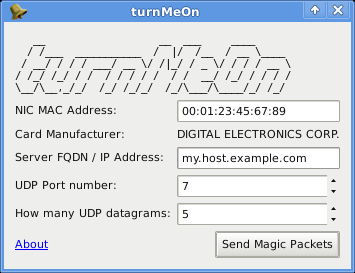
turnMeOn on Linux
turnMeOn on Linux, when the host field is wrong: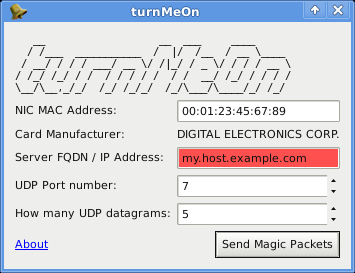
turnMeOn on Windows: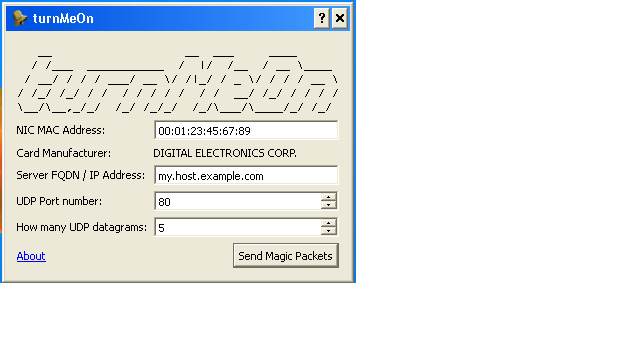
The interface is self explaining, just fill in the fields and press the “Send Magic Packets” button.
If you’re in the same network of the machine you have to turn on fill in the FQDN field with a local ip or leave it blank.
Requirements:
Instructions:
Download and uncompress the sources.
Uncomment the right lines in turnMeOn.pro choosing if you want to build the documentation or rebuild the database. Run the following commands in order:
 qmake
 make
Now the executable is ready. Now if you want to install it type
 su
 make install
Or if you are in a ubuntu-based distro
sudo make install Requirements:
1. The Qt SDK available at http://qt.nokia.com 2. The NSIS installer available at http://nsis.sourceforge.net
Instructions:
1. Download and uncompress the sources. 2. Open the Qt-Console provided by the Qt SDK 3. Change to the program source directory 4. Type
    qmake
    mingw32-make
    mingw32-make install
5. Launch the setup you can find in build\installer\turnMeOn_setup.exe
If you want to contact me, drop me an email: david-costa@users.sourceforge.net